
Manual › Your garden
The calendar: pruning, harvesting, sowing and watering
What needs doing when in your gardens (pruning, harvesting, sowing, planting out, watering and your tasks), and how to get the calendar into Google Calendar, Apple Calendar or Outlook.
Bladwijzer works out when to prune each plant, based on the species, the form (you prune a hedge differently from an espalier) and when you last pruned it. Pollards and coppice come round again after their interval. The calendar shows this together with all your other garden jobs.
What’s in it?
| What | Where it comes from |
|---|---|
| Pruning | The plants in your gardens on the map. |
| Harvesting | The plants in your gardens that have something to harvest, and the trees and shrubs of the recipes in your recipe book. |
| Sowing indoors, sowing, planting out and harvesting | The plan for your vegetable garden. |
| Watering | Plants and crops for which you’ve filled in how often they need water, indoors too (houseplants). |
| Tasks | Your own tasks, one-off or repeating. |
Pruning and harvesting come from your own gardens. Watering, tasks and the vegetable garden plan come from your own gardens and from gardens shared with you for which you’ve turned on reminders, such as a community garden.
In the app
- On the home page, Today shows what needs doing today (or is already overdue) in all your gardens. Tap Watered or Done straight away.
- In your garden, To do is at the top: what needs doing over the coming weeks. The Pruning schedule section shows what’s due over the coming months.
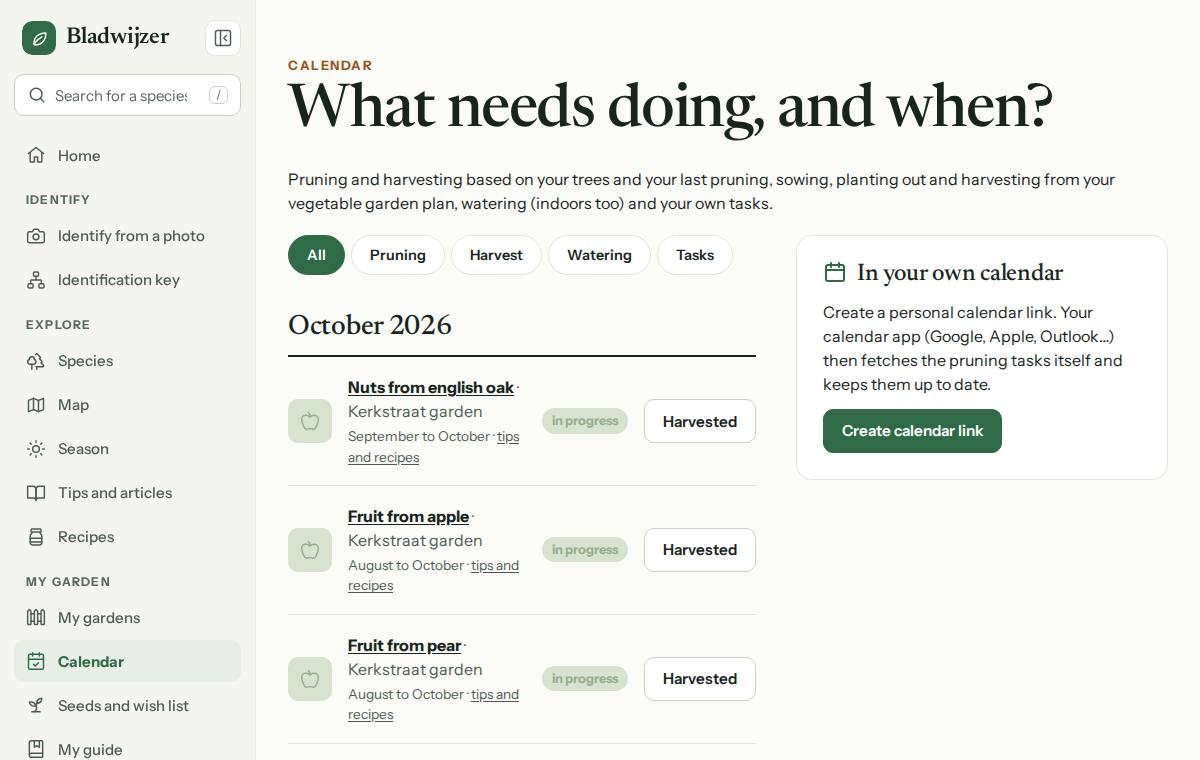
- Under Calendar (in the menu, or Calendar at the top of My gardens) you’ll see everything for all your gardens together, month by month. Choose Pruning, Harvest or Watering at the top to see only that, or choose a garden. The current month comes first; Show the following months shows more, up to 12 months. Anything overdue comes first.
- In the calendar or in your garden, tap Pruned, Harvested, Watered or Done, and the next time moves along. A harvest goes into your garden’s log and disappears from the calendar for that period.
- The harvest times are in it too: for the plants in your gardens (e.g. elderflowers in May and June), and for the trees and shrubs of the recipes in your recipe book, even if they’re not in your garden.
In your own calendar
- Go to Calendar › In your own calendar and choose Create calendar link.
- Choose your calendar (Google, Apple, Outlook) and follow the steps, or copy the link.
- Want a separate calendar for each garden? Choose Separate calendar per garden.
Your calendar then fetches everything itself: new plants, prunings, crops, tasks and recipes appear in it automatically, in the language you use in Bladwijzer. A separate calendar for a garden only contains what needs doing in that garden.
Tip
Google Calendar sometimes only refreshes subscribed calendars every 12 to 24 hours. Give it a little time after a change. Would you like a nudge every morning? Then turn on reminders.
Watch out
The calendar link is personal and secret: anyone who has it can see your garden names, pruning jobs and other garden jobs (but no address or map). Don’t share it.
Updated on 2026-10-07