
Manual › Your guide
Your guide
Your own nature guide: save observations with photos, date and place, view them by species, over time, on the map or as a checklist, and share or print them.
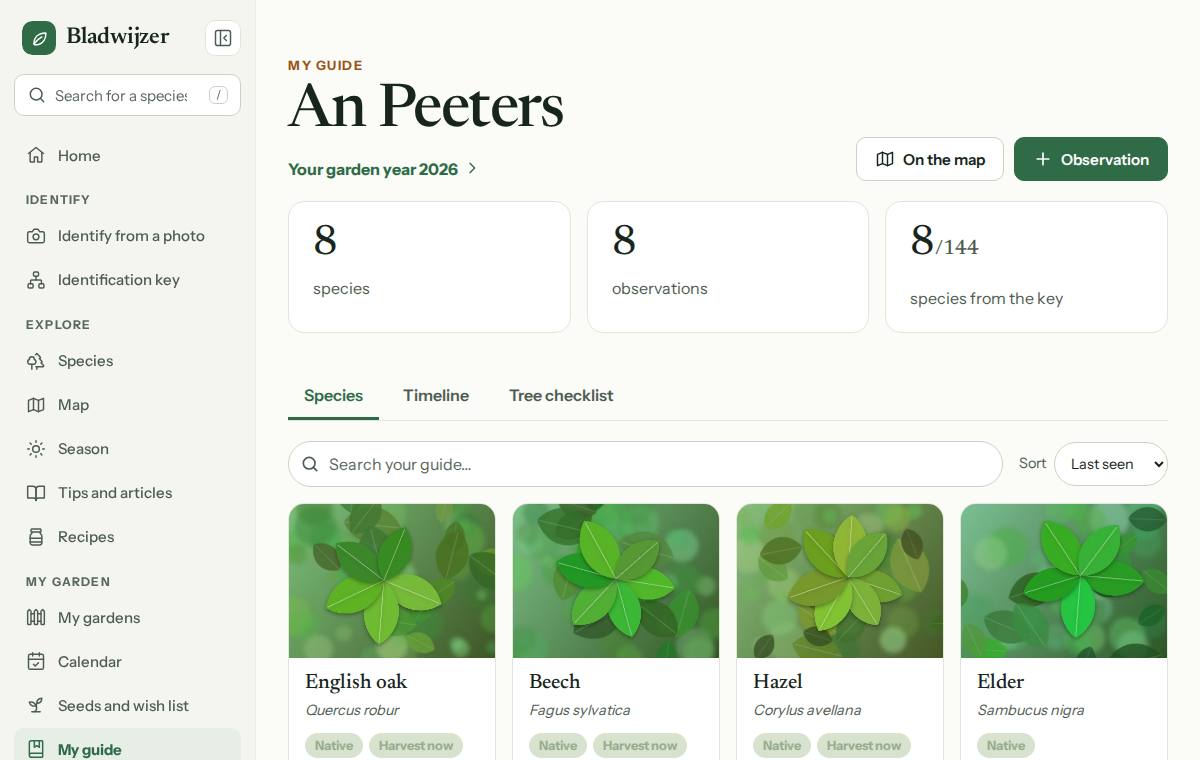
My guide holds everything you’ve identified and saved. At the top you see how many species and observations you have, how many species from the identification keys you’ve already seen, and the way to your garden year. On the map opens the map with all your observations.
Saving an observation
After identifying something with a photo or the key, choose Save. You can then add:
- the date (today, or when you saw the plant);
- the place: tap the pin to add your GPS location; we look up the place name for you;
- notes and your photos.
You can also add a species yourself, even one that isn’t in the keys.
Viewing
| Tab | What you see |
|---|---|
| Species | Each species once, with how often you’ve seen it and when you last saw it |
| Timeline | All your observations by month |
| Tree checklist | Which species from the keys you’ve already seen, and which you haven’t yet |
Tap a species to see all your observations of it. Identical observations (same day, place and note, without a photo) are grouped on one row with their number, e.g. 5×. Tap the row to open it and edit one of them.
The map
Map shows your sightings and the trees and plants in your gardens together on one map, with your garden boundaries.
- Layers: turn My sightings, Plants in my gardens and Garden boundaries on or off.
- Show: everything, what to prune now, what to harvest now or native species only. You can also filter by group (broadleaved trees, conifers, shrubs, hedges, fruit, climbers) and by period (any time, this year, this month).
- Tap a point for a card with the species, how often you saw it, the profile and your guide (or the garden). Points close together are grouped in a numbered circle: tap it to zoom in. A plant to prune now has a ring.
- In view shows which species are on the part of the map you can see; Show everything as a list gives the full list.
- Search for a species, or type a place and press Enter to go there. Choose Aerial photo for aerial imagery of Flanders, Wallonia and the Netherlands.
Sharing
Under Account › Sharing settings you can make your guide public. Anyone with the link can then see your species, photos, dates, place names and notes. Your exact GPS location always stays private. Search engines don’t show shared guides.
Reporting on waarnemingen.be
Bladwijzer doesn’t send your observations anywhere. Want to add an observation to waarnemingen.be as well, so it counts towards nature research in Belgium? Choose Report on waarnemingen.be, for a species in your guide or on a species page. The waarnemingen.be entry form opens in a new window, with the species already filled in. There you add the date, the place and a photo if you like, with your own waarnemingen.be account.
Printing and exporting
- Booklet: Print booklet creates an overview you can print or save as a PDF.
- Export: under Account you can download all your observations as a JSON file.
Updated on 2026-10-07